
API Tokens
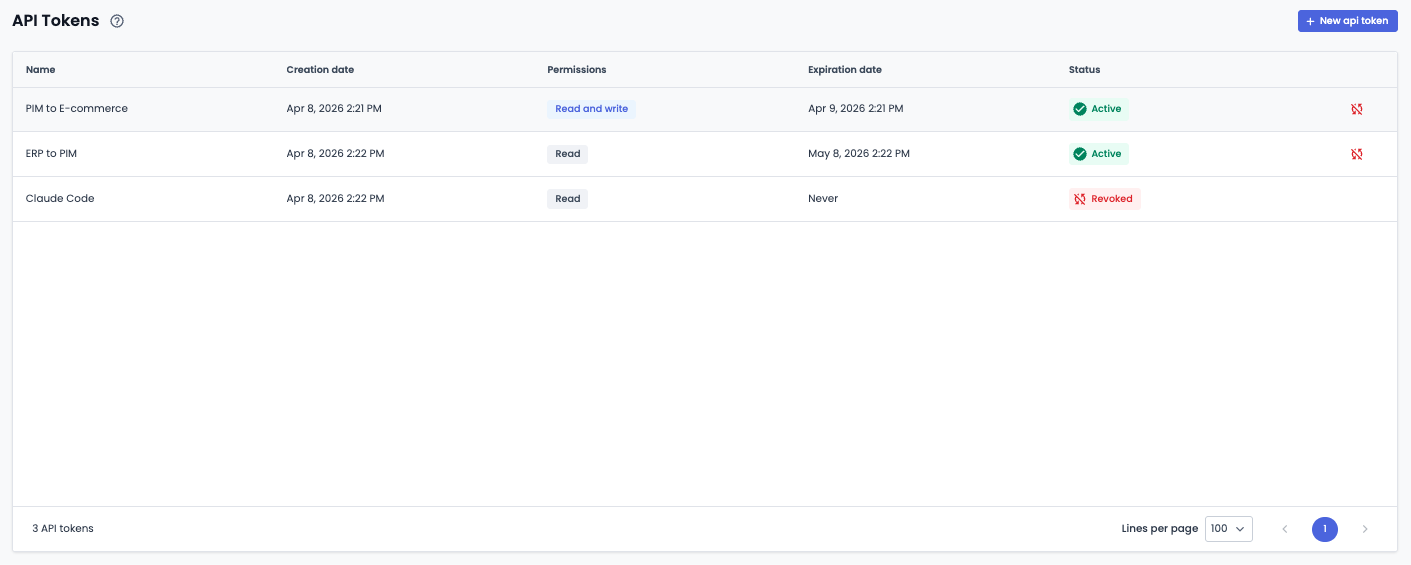
The API Tokens page lets you generate and manage your own access tokens to use the Quable PIM API.
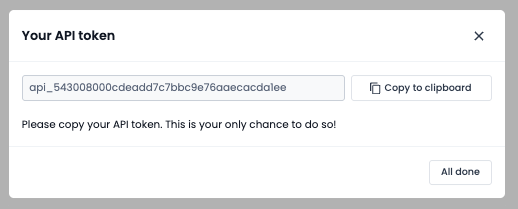
Important: Quable PIM displays the plain-text token only once, right after it is created. Copy it and store it somewhere safe: you cannot retrieve it once this window is closed.
Prerequisites
- Open the API Tokens page in Quable PIM.
- Make sure you have access to token management. Administrators have access by default.
Access levels
Two access levels are available when creating a token:
Read access (read)
read)Grants limited, read-only access to the Quable PIM API. This token does not allow you to add, update or delete content.
Supported HTTP methods: GET
Read/Write access (read_write)
read_write)Grants full, unrestricted access to the Quable PIM API. This token gives access to all Quable PIM features.
Supported HTTP methods: GET POST PUT DELETE
Administrators have access to token management by default.
Create a token
- Click Create token on the management page.
- Fill in the following fields:
- Name (required) — A descriptive name to identify the token, e.g.
My application. - Access level (required) —
Read(read) orRead/Write(read_write). - Expiration (required) — Choose from: 1 day, 1 week, 1 month, 3 months, 6 months, 1 year, or no expiration.
- Name (required) — A descriptive name to identify the token, e.g.
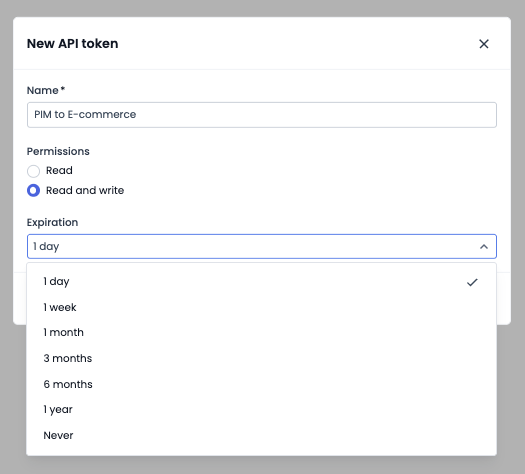
- Click Create.
- Copy the displayed token immediately. Once this window is closed, you can no longer view it.
Manage your tokens
The list displays all your tokens with the following information:
| Column | Description |
|---|---|
| Name | The name you gave the token |
| Creation date | The date the token was created |
| Access level | Read (read) or Read/Write (read_write) |
| Expiration | The expiration date, or Never |
| Status | Active, Expired or Revoked |
Revoke a token
You can only revoke tokens with the Active status.
- Click the revoke icon on the row of the token you want to revoke.
- In the confirmation window, type
REVOKEto confirm.
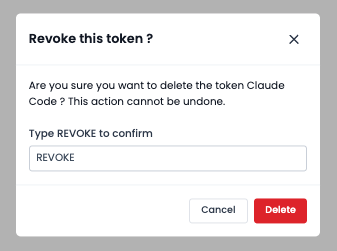
- Click Revoke.
Revocation is permanent: it immediately invalidates the token, which you cannot reactivate.
Token statuses
| Status | Description |
|---|---|
| Active | The token is valid: you can use it |
| Expired | The expiration date has passed |
| Revoked | The token has been revoked |
Use a token
Once copied, add the token to the Authorization HTTP header of your requests:
Authorization: Bearer your_tokenThe base URL of the Quable PIM API is your Quable PIM URL followed by /api (e.g. https://example.quable.com/api).
To test it from the interactive API documentation:
- Open the API documentation and click the Authorize button.
- In the Value field, enter
Bearerfollowed by your token. - Click Authorize to activate the session.
Don't forget to type the
Bearerkeyword followed by a space before your token.
Troubleshooting
- If your request fails, check that the
Authorizationheader containsBearerfollowed by a space and the token you copied when it was created. - If the token is Expired or Revoked, create a new token: a revoked token cannot be reactivated.
- If an add, update or delete operation fails with a Read (
read) token, use a Read/Write (read_write) token instead.
Updated 27 days ago