
Dashboard
Your Quable PIM center of operations!
The Dashboard gives you a complete overview of the information that matters to you. It's the first thing you see when you log in to your PIM.
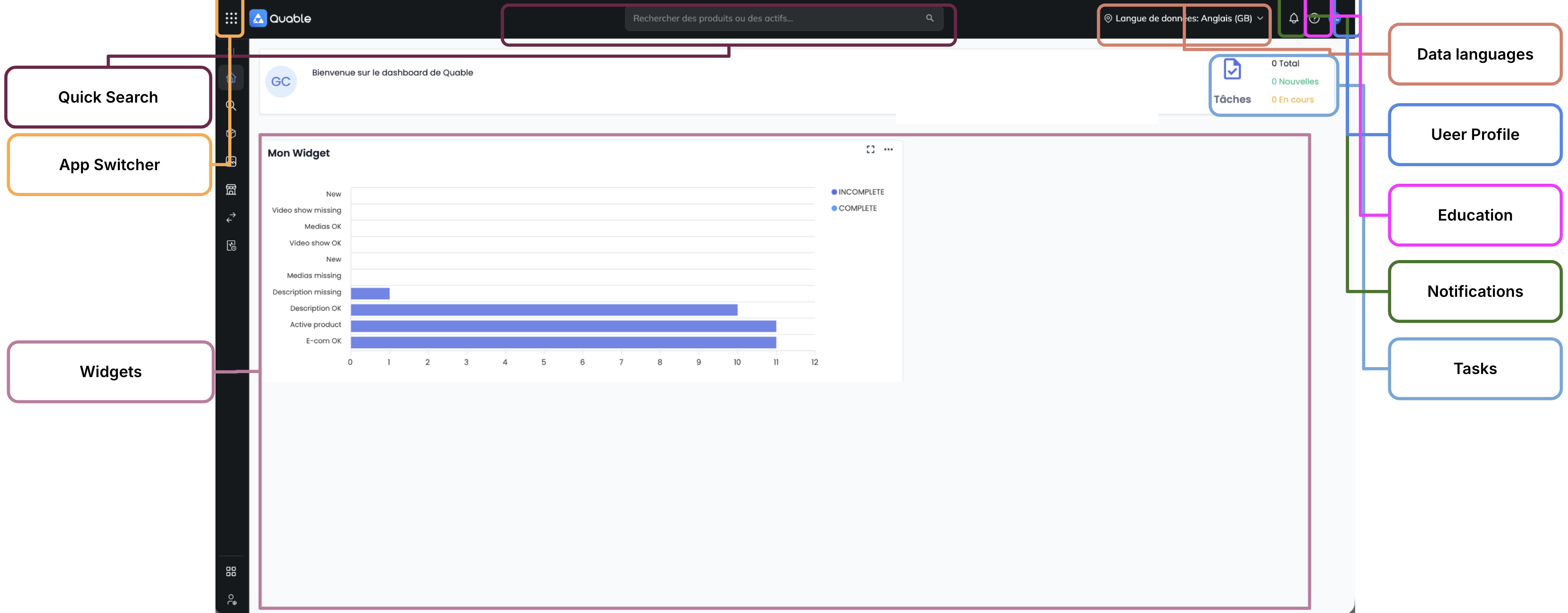
The top bar and the burger menu
- The burger menu, at the top left, displays the app switcher for the Ibexa environment, to navigate between the platform's applications.
- Profile : Access your account Profile
- Quick Search : Run a Quick Search
- Data language : View and/or change the Data language (if possible)
- Notifications : Receive Notifications
- Quable Education : this resource is accessible from the question mark (help
?). - Tasks : Create or view Tasks
- Widgets : Get valuable insights with Widgets
Updated about 2 months ago
Did this page help you?